
- sold and stocked correctly
- Sacks, kilos, pesos
- sold and stocked correctly
- selling on tablets and PCs
- Offline
- selling on tablets and PCs
- with CSV export
- 9 reports
- with CSV export
- on the audit trail
- Every change
- on the audit trail
Features
Everything the counter and the stockroom need
Built around how a feed and veterinary supply store works: heavy sacks, loose feed by the kilo, supplier deliveries, and cash that has to balance every night.
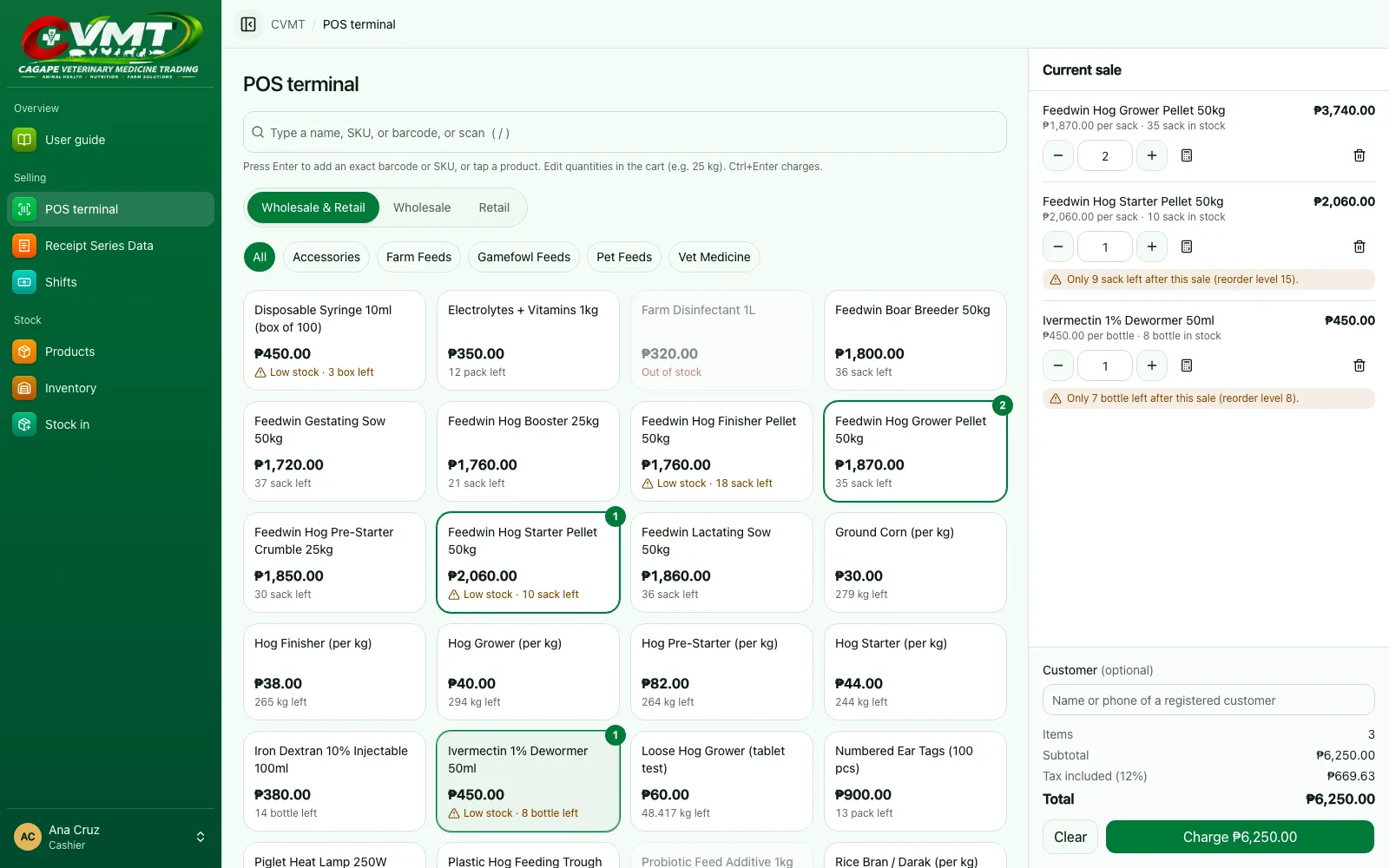
Fast checkout, scan or type
Scan a barcode, type a name or SKU, or tap a product. Show wholesale or retail only, or one product type. Ctrl+Enter charges the sale.
Sacks, kilos, or pesos
Sell feeds by the sack, by the kilo, or by peso amount. Open a sack for retail, and a damaged sack's good kilos still go to retail.
Inventory you can trust
Every stock change is recorded. Stock levels, re-order alerts, damaged goods, and the total value of your stock at a glance.
Deliveries from suppliers
Record each delivery with its D.R. or receipt number as it arrives; the owner checks it against the supplier's receipt.
Cash shifts and bank deposits
Open each drawer with a starting float, record pay-ins and pay-outs, close with a blind count, and record each day's deposit.
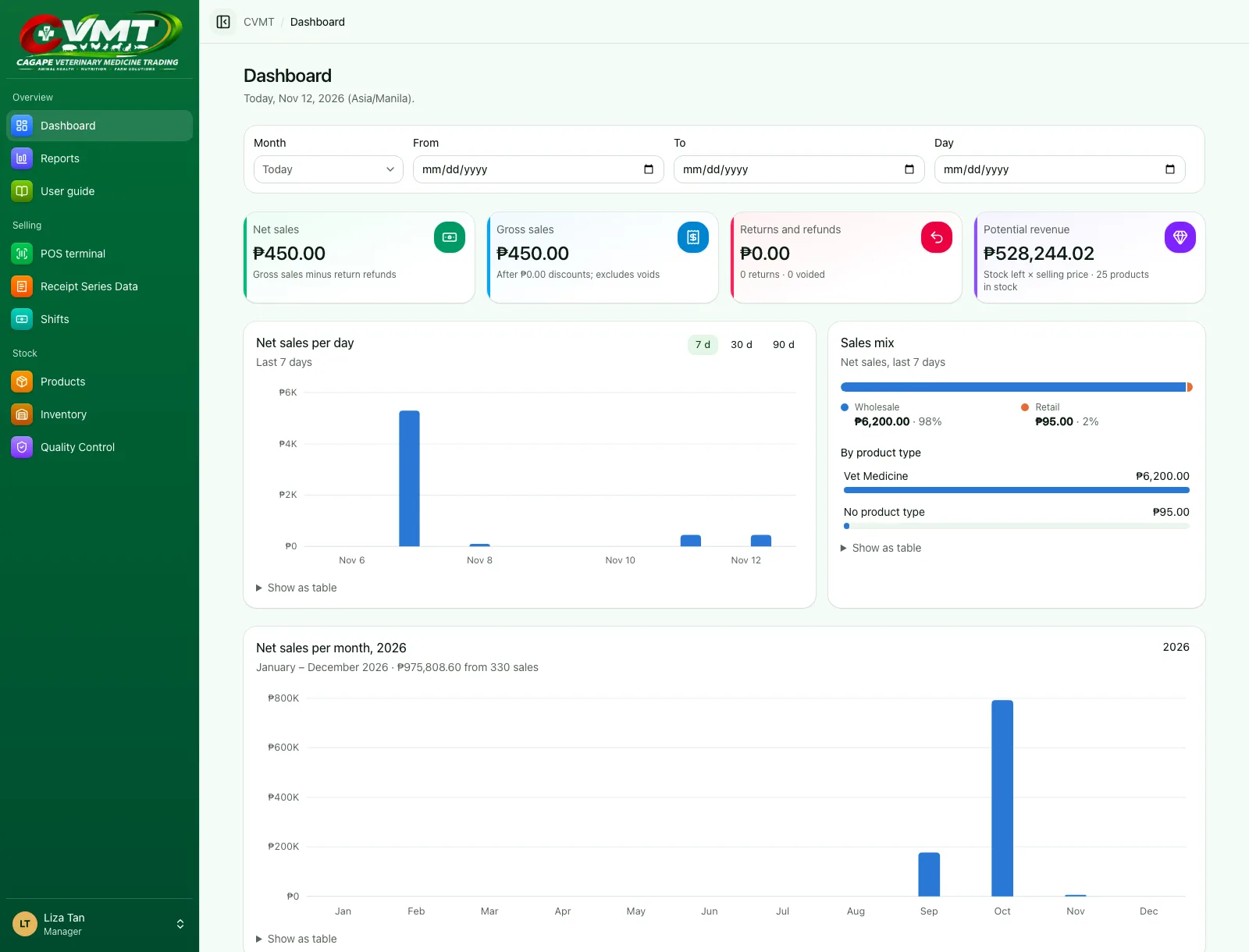
Dashboard and reports
Charts of sales by day and by month, January to December, top products, busiest hours, and 9 reports with CSV export.
Receipts your way
Print to a Bluetooth, USB, or network receipt printer and open the cash drawer. Choose what each receipt shows.
Keeps selling offline
The tablet and Windows apps keep selling and receiving stock without internet, and upload everything when it's back.
Every receipt on file
Search any sale by receipt number, date, or cashier; reprint, return items, or cancel with a reason on record.
Reports
Know your numbers without a spreadsheet
A dashboard that shows how the store is doing today, this month, or across the year, and reports with clear definitions behind every number.
- Net sales per month, January to December, year by year
- Top products by category, product type, and supplier
- Sales mix, busiest hours, and gross profit by product type
- Payments, cashier performance, and drawer over/short
- Export any report to CSV
Tablet, PC, and phone
At the counter, even when the internet isn’t
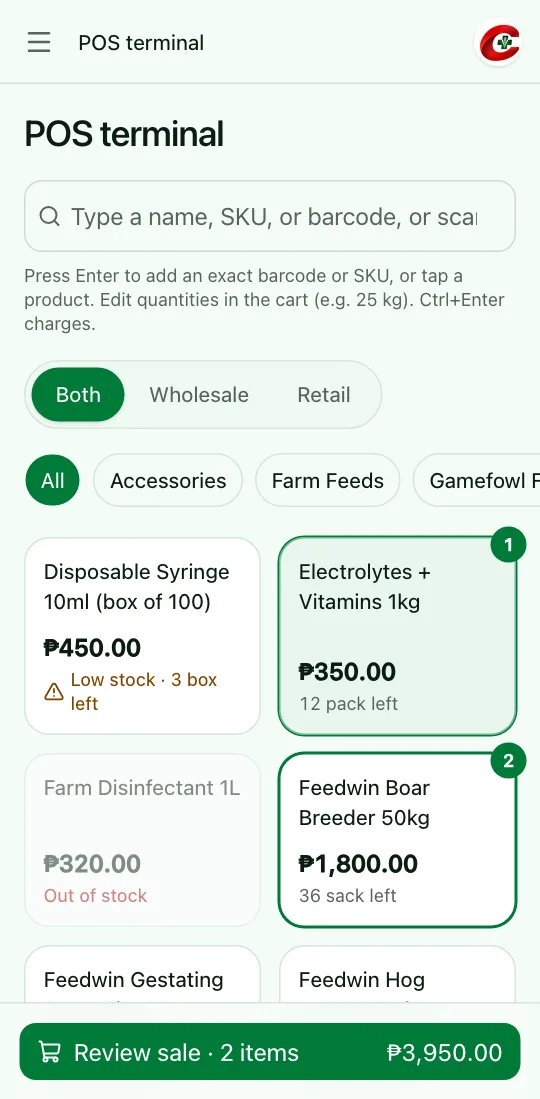
Install the app on an Android tablet or a Windows PC at the counter, or open the web app on any device. The owner registers each tablet once; after that it sells, receives stock, and prints receipts, online or offline.
Android tablet and Windows
Installed apps for the counter, plus the web on any device.
No internet? Keep selling
Sales and deliveries wait on the device, then upload.
Printer and cash drawer
Bluetooth on tablets; USB or network on PCs.
One account each
Staff sign in with their own roles on any registered device.
How it works
A whole day at the counter, in three steps
Every sale belongs to a cash drawer, so the money always adds up.
Step 1: Open your drawer
Count your starting cash and open a shift in seconds.
Step 2: Sell all day
Ring up sacks, kilos, and supplies; take cash, GCash, or card.
Step 3: Close and reconcile
Count the drawer; the system shows what was expected and why.
Security
Your records stay accurate and private
Sales, stock, and cash are recorded once and never quietly rewritten.
Role-based access
Owners, admins, managers, cashiers, and inventory staff each see only what their job needs.
Two-step sign-in
Owners and admins sign in with a password and a code from an authenticator app; the owner can require it for anyone.
Complete audit trail
Sales, returns, cancellations, price changes, reprints, and settings are logged with who and when.
Secure sessions
Encrypted, HttpOnly sessions, sign-in attempt limits, and tablets that work only once the owner registers them.